4 Options to Replace Swagger in .NET 9 APIs
With the official release of .NET 9, Microsoft removed the built-in support for Swagger UI in its default web API templates. While some community members expressed concerns over this shift, Tim Corey explains in his video, "4 Options to Replace Swagger in .NET 9 APIs", that this change actually empowers developers with more flexibility and cleaner separation between code and tooling.
In this article, we’ll dive into the four major alternatives to Swagger UI for generating OpenAPI documentation in .NET 9, all based on Tim’s hands-on video walkthrough. If you're looking to upgrade an existing project or starting fresh with minimal APIs, this guide will help you understand the available tools and how they support OpenAPI standards.
Setting Up a Standard API Project
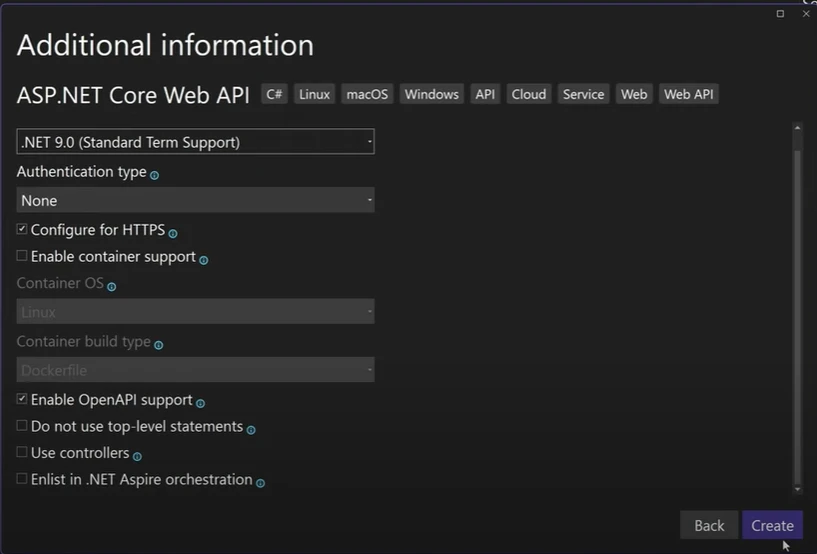
Tim begins by creating a minimal API project in Visual Studio, choosing the standard ASP.NET Core Web API template.
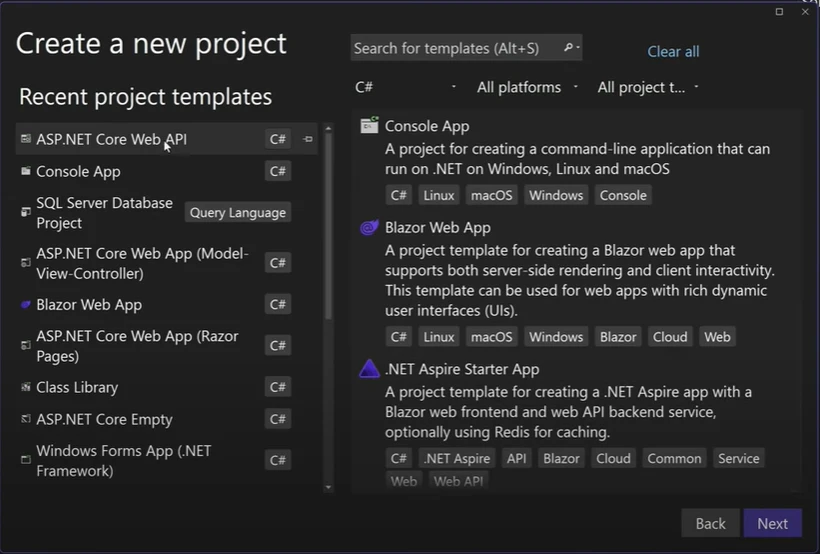
He emphasizes checking the box to add OpenAPI support, which ensures your project includes the necessary OpenAPI document generation through a JSON file endpoint.
Once the project is running, Tim navigates to the default OpenAPI document URL (e.g., /swagger/v1/swagger.json) to view the raw OpenAPI specifications. This file contains structured metadata about your API endpoints, including supported verbs like GET, POST, and DELETE.
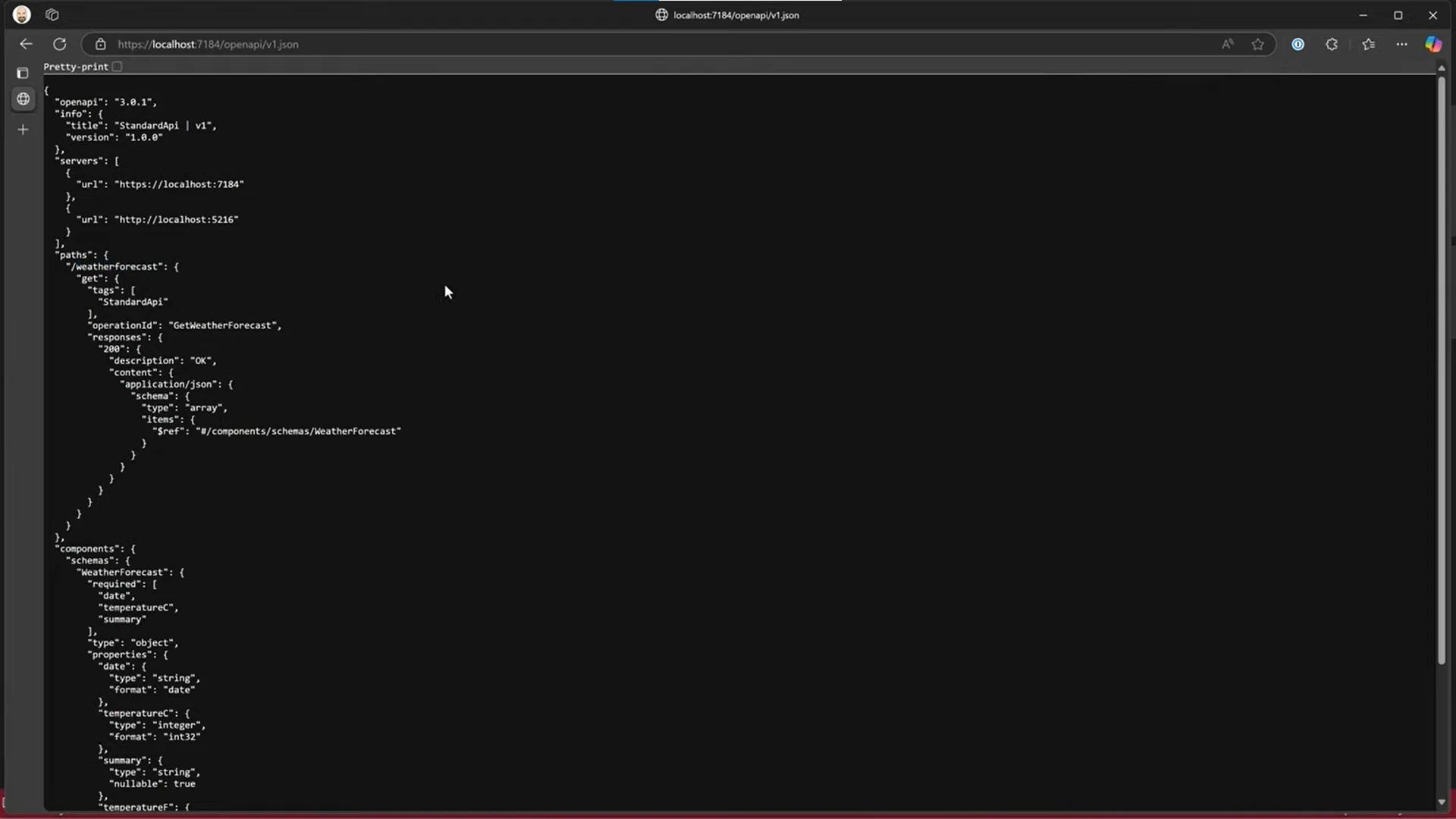
Although functional, Tim notes that viewing the raw OpenAPI document isn’t user-friendly. To provide a better web-based documentation interface, he moves on to demonstrate four external tools that enhance the developer and consumer experience.
Option 1: Swagger UI – The Familiar Experience
Swagger UI is still a very popular tool, even though it's no longer included by default. Tim demonstrates how to bring it back using the required NuGet package dotnet: Swashbuckle.AspNetCore.SwaggerUI.
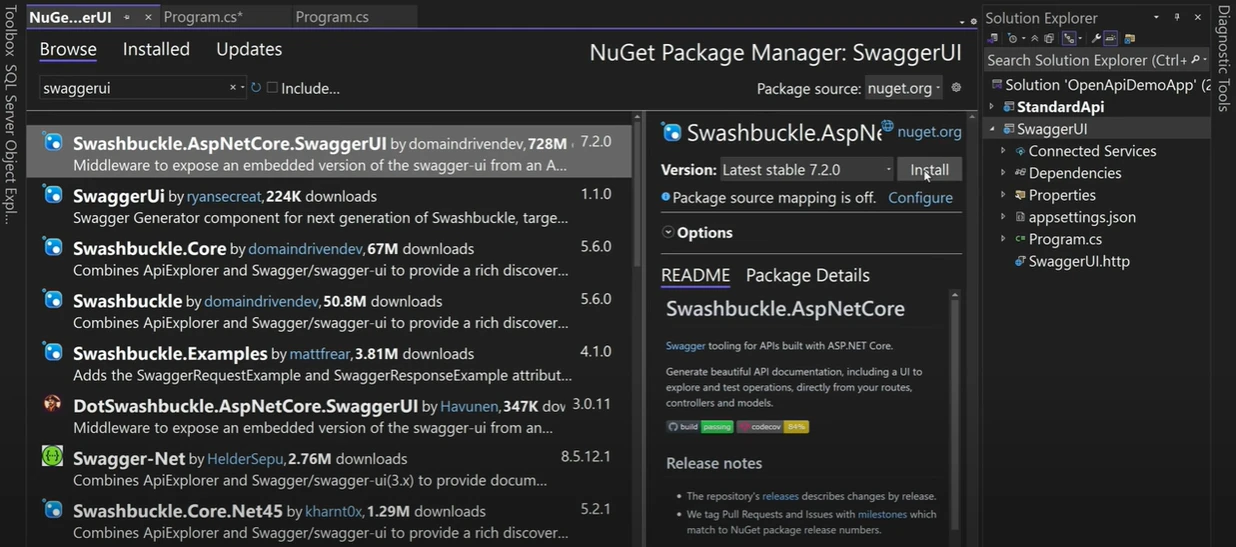
After setting up the Swagger UI in a new project, at 9:43, he configures the middleware using simplified syntax and sets the launch URL to /swagger. This UI provides a user-friendly API documentation interface where developers can view endpoints, understand request parameters, and test them in-browser.
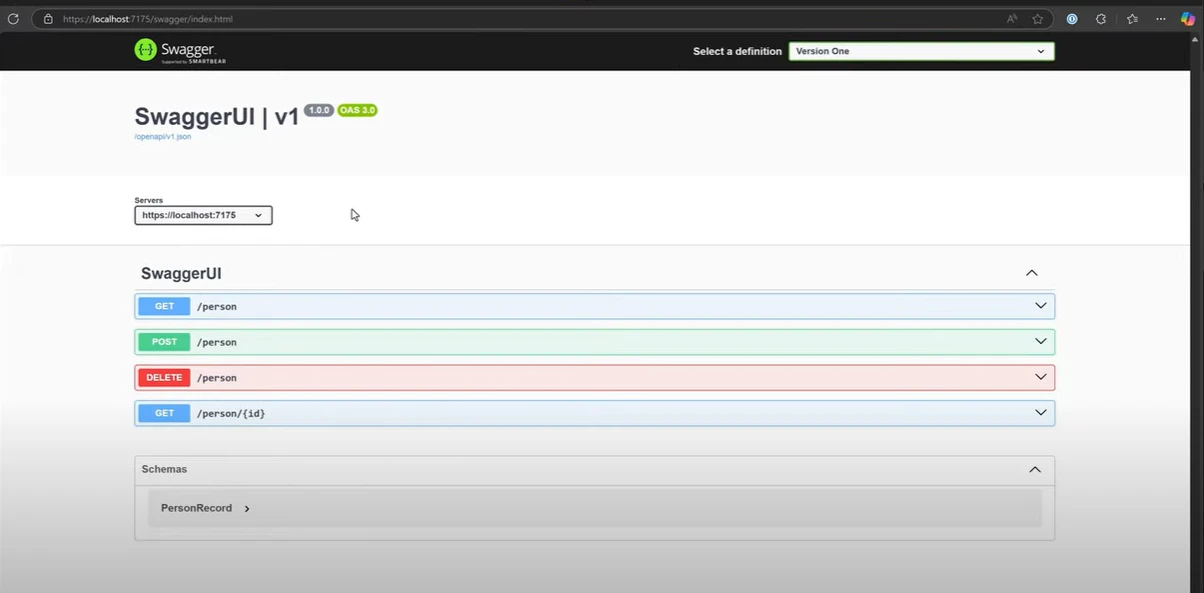
While Swagger UI is now an external tool, it still supports OpenAPI specifications and remains one of the best choices for basic documentation needs during development.
Option 2: ReDoc – Clean, Read-Only API Documentation
Tim’s second tool is ReDoc, which transforms your OpenAPI document into a polished, read-only HTML site. After adding the OpenAPI package Swashbuckle.AspNetCore.ReDoc, he maps the documentation to /api/docs.
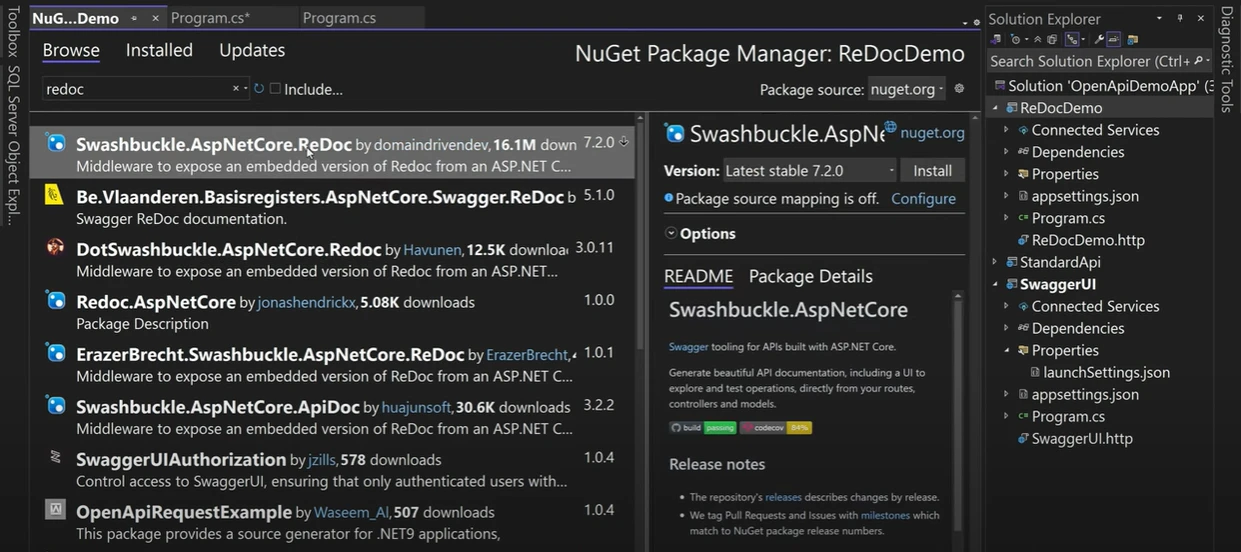
Unlike Swagger UI, ReDoc doesn’t allow for endpoint testing. However, it shines as a web-based documentation interface suitable for external users and clients. If your focus is purely on defining REST APIs and displaying structured documentation, ReDoc is a great fit.
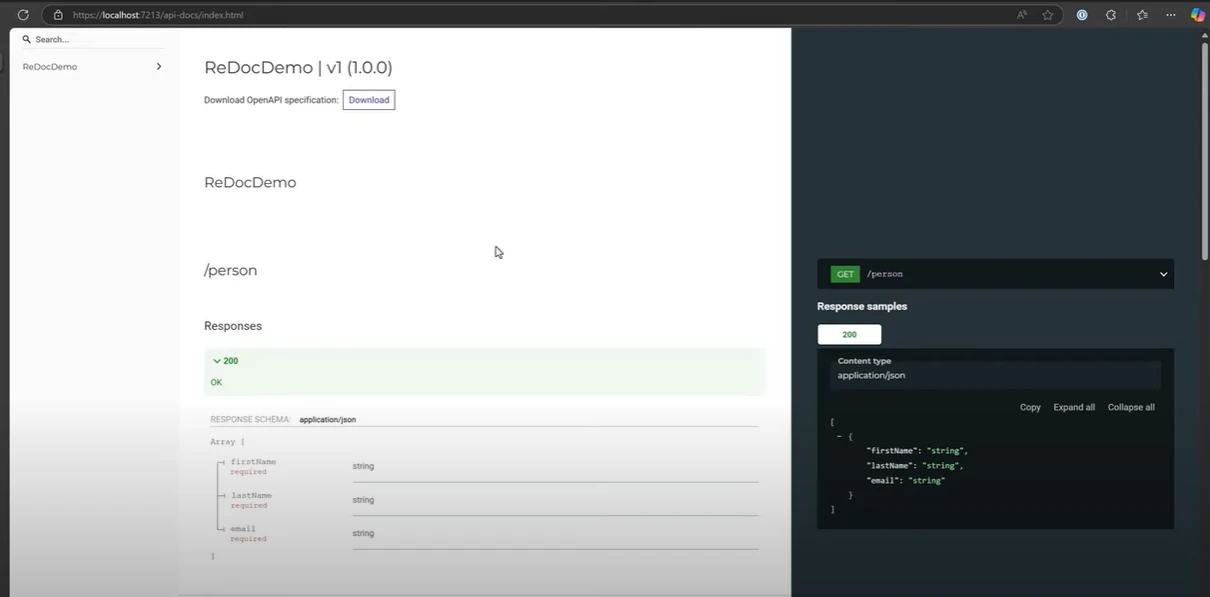
It’s worth noting that ReDoc automatically generates content based on the provided OpenAPI specifications, covering expected responses, parameters, and data types. This aligns well with projects that prioritize optimized built-in support for documentation over interactivity.
Option 3: NSwag – Documentation + Code Generation
Next, Tim dives into NSwag, a flexible and feature-rich tool that does more than just document APIs—it can also generate code for clients in various languages like C#, TypeScript, and more. After installing the NSwag.AspNetCore NuGet package, he sets up the Swagger-like interface, mapping it to the same JSON endpoint.
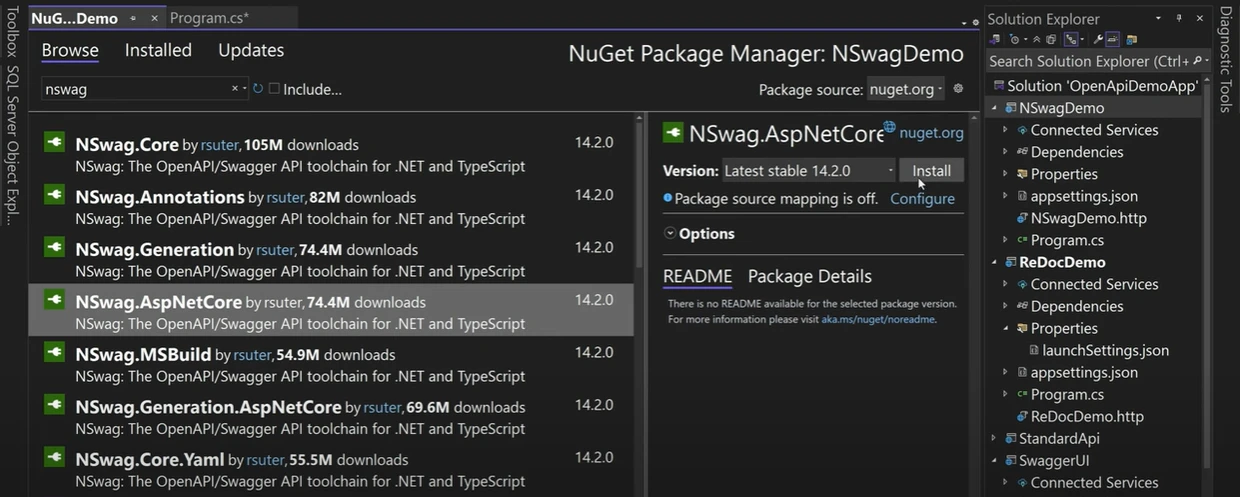
Tim explains that NSwag supports both Swagger specifications and OpenAPI standards, allowing developers to choose their preferred format. Although the UI may look similar to Swagger, it’s the external tool libraries and advanced features (like automatic client creation) that make NSwag shine.
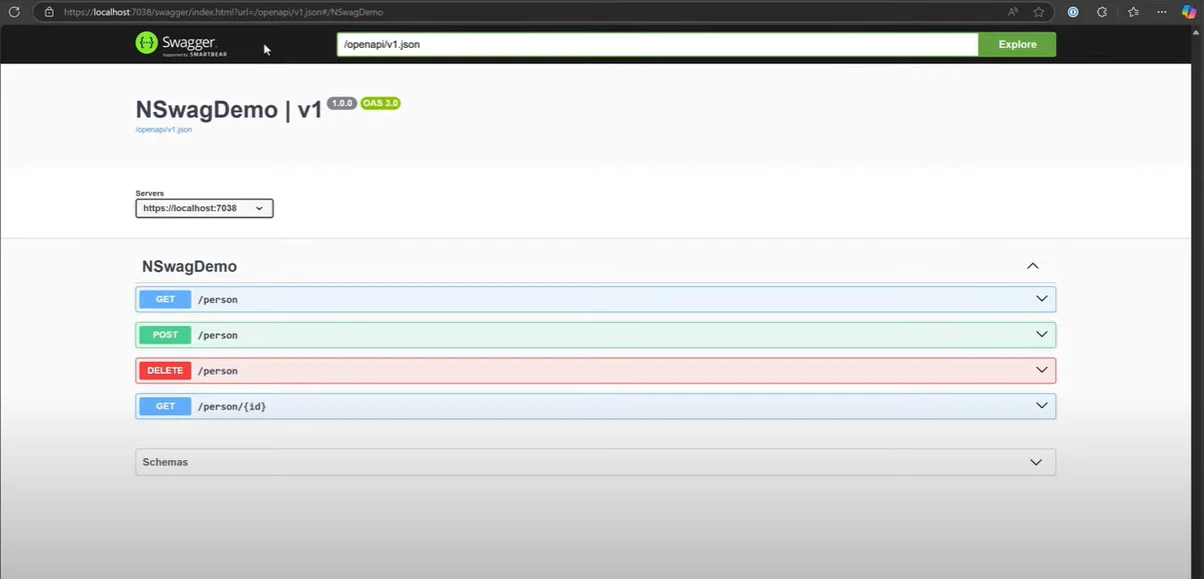
He points out that NSwag’s ability to generate code is helpful in reducing manual effort when integrating with APIs, especially in projects involving multiple services or external tools. It’s a powerful solution for teams building robust client-server communication.
Option 4: Scaler – Tim’s Favorite for API Testing
Tim introduces Scaler UI as his personal favorite among all options, describing it as a blend of Postman and documentation in the browser. After adding the Scaler.AspNetCore package, only one line of code (app.MapScalerApiReference()) is needed to enable the interface.
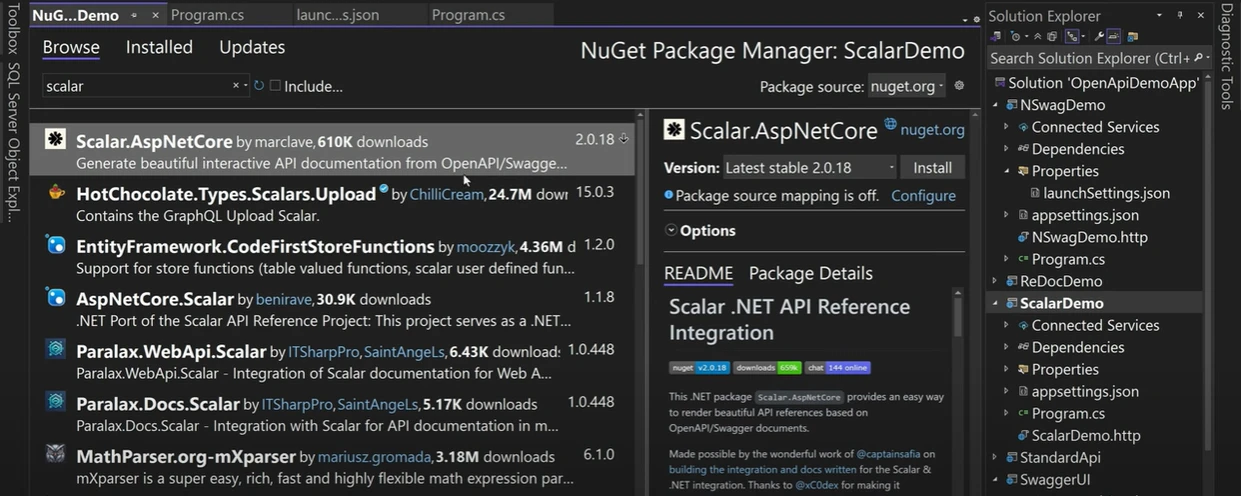
Scaler supports full interactivity, including executing requests with query parameters, headers, and cookies. What sets it apart is the real-time feedback—it returns response time, headers, and result payloads instantly.
A standout feature of Scaler is its ability to generate curl commands and client code snippets for different languages (PHP, Node, Python, C# via HttpClient and RestSharp). Tim finds this particularly useful for quickly copying and pasting API calls during development.
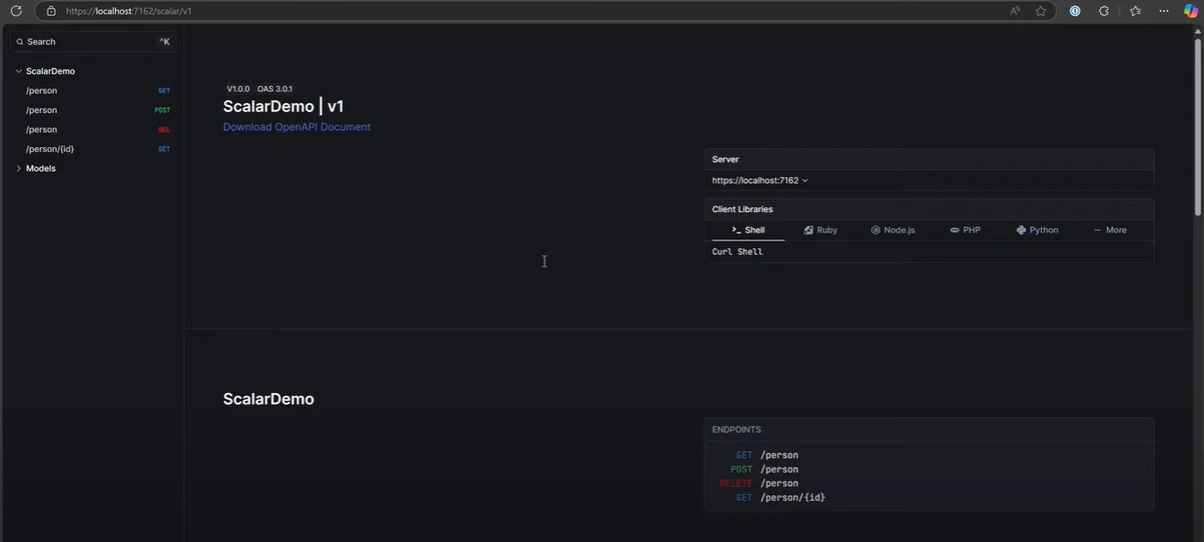
Scaler also allows toggling between light and dark modes, making it a user-friendly API documentation platform with room for further improvement. As an open source API platform, Scaler continues to evolve with active maintenance and strong community interest.
Final Thoughts: Options Bring Flexibility
In the closing minutes of the video, Tim emphasizes that removing Swagger UI from .NET web templates might seem like a step back, but it's actually an opportunity to embrace modern, more tailored solutions. This change aligns with Microsoft's fast release cycles, where features are becoming more modular and focused.
The OpenAPI support now acts more as a first-class citizen support rather than a rigid, native implementation. You’re free to mix and match tools depending on your project’s needs—whether it's interactive testing with Scaler, client code generation with NSwag, or clean output with ReDoc.
Tim encourages developers to explore these tools, see which one fits their workflow, and possibly even use multiple UIs for different environments (e.g., one for development and another for public documentation). The fact that all these options support the OpenAPI and Swagger specifications means you're not locked into a single vendor or workflow.
Conclusion
Thanks to the removal of Swagger UI as default in .NET 9, developers now have the freedom to choose the best tool for their OpenAPI documentation needs. Whether you're documenting HTTP APIs, serving external tools, or supporting internal development, there’s a solution that aligns with your goals.
With tools like Swagger UI, ReDoc, NSwag, and Scaler, documenting and testing APIs has never been more customizable or developer-friendly. As Tim Corey shows us in his video, all it takes is a few packages, a couple of lines of code, and the desire to explore the tools that best serve your application and your team.